
Korg Volca Beats
Lesson 2: Setting up and getting first sound
Goal: power on, hear the factory patterns, and set the unit up so it behaves predictably.
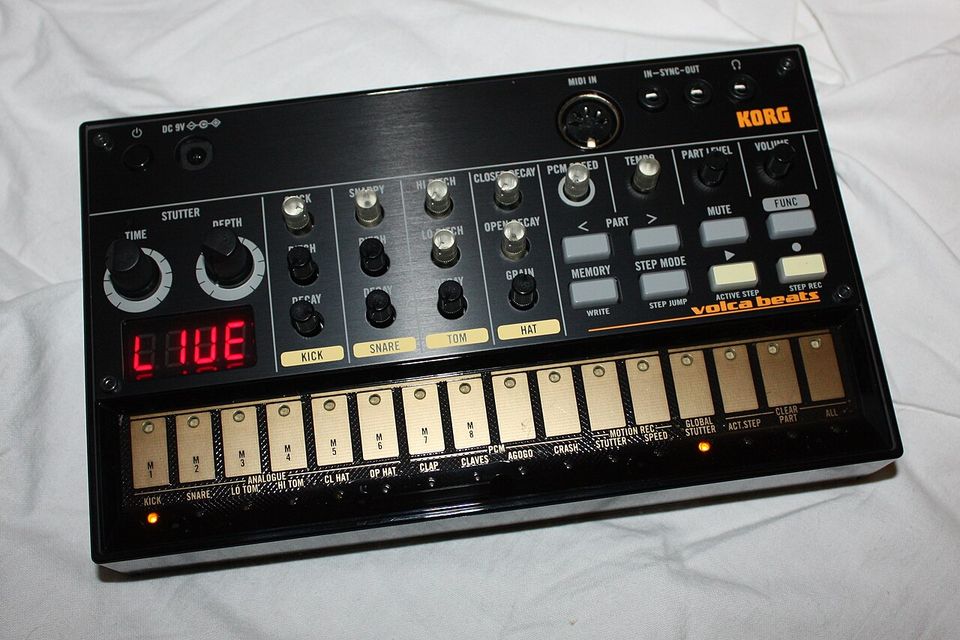
.jpg)
Power
- Six AA alkaline or NiMH batteries give roughly 10 hours on alkalines. The 9 V DC adapter is optional and must be the Korg-specified one.
- Press the power switch to turn on. To turn off, hold it for about one second.
- On power-up, the LEDs under the step buttons show remaining battery. All lit means full. “bt.Lo” flashing on the display means change them soon.
- The unit switches itself off after about four hours with no sound. You can disable this (see Global settings below).
Audio out
There is one output: the 3.5 mm headphone jack. Plug in headphones, or a 3.5 mm to RCA or 6.35 mm lead into a mixer, interface or powered speaker. With nothing plugged in, sound comes from the internal speaker.
Start with VOLUME around halfway and bring your speaker or interface up from zero, because the Volca is loud at full volume.
Hear it straight away
- Press PLAY. The factory pattern in memory 1 starts looping.
- Turn TEMPO and watch the BPM change on the display.
- Press MEMORY, then step 2, to load factory pattern 2. Try all eight.
- Press PLAY again to stop.
Listen to the factory patterns before you overwrite them. They show what the machine can do.
Want to play along straight away? Pick whichever factory pattern feels steadiest, grab your guitar or uke, and turn TEMPO until it sits comfortably under your strumming. Lesson 4 shows you how to program simple beats made for exactly this.
Global settings worth knowing
Hold FUNC while switching on. Each step button toggles one setting; the display confirms it. Press REC to save and restart, or PLAY to cancel.
| Step | Setting | Lit | Unlit (* = factory default) |
|---|---|---|---|
| 1 | Auto power-off | On* (AP.on) | Off (AP.oF) |
| 2 | Battery type | NiMH (bt.nH) | Alkaline* (bt.AL) |
| 3 | Sync Out polarity | Fall (So.Lo) | Rise* (So.Hi) |
| 4 | Sync In polarity | Fall (SI.Lo) | Rise* (SI.Hi) |
| 5 | Tempo range | Full, 10 to 600 BPM (TP.FL) | Narrow, 56 to 240 BPM* (TP.nr) |
| 6 | MIDI clock source | Auto* (CL.At) | Internal (CL.In) |
| 7 | Receive MIDI short messages | On* (St.on) | Off (St.oF) |
To set the MIDI channel, hold MEMORY while switching on, then press step 1 to 16 for channel 1 to 16.
If you use rechargeables, set step 2 to NiMH or the battery meter will read wrong.
Exercise 2
Load each of the eight factory patterns and, for each one, find a tempo that you think suits it.