
Speaking with Confidence
Lesson 12: Calls, video and hybrid meetings
Goal: fix the one thing that most improves how you come across online (usually your sound), and speak with more energy than feels natural.
Sound matters more than video
In experiments, people listened to the same scientific talk or radio interview with either good or slightly poor audio quality (a little echo, a slightly tinny sound). With poor audio, listeners rated both the research and the researcher as less intelligent, less likeable and less important (Newman and Schwarz, 2018). Some evidence.
So, in order of priority:
- A headset or earbuds with a microphone near your mouth. Even cheap ones beat a laptop’s built-in microphone.
- A quieter room with soft things in it (curtains, couch, carpet) to cut echo.
- Mute when you’re not speaking in large calls; unmute and pause for a second before you start, so your first words aren’t cut off.

Camera and light
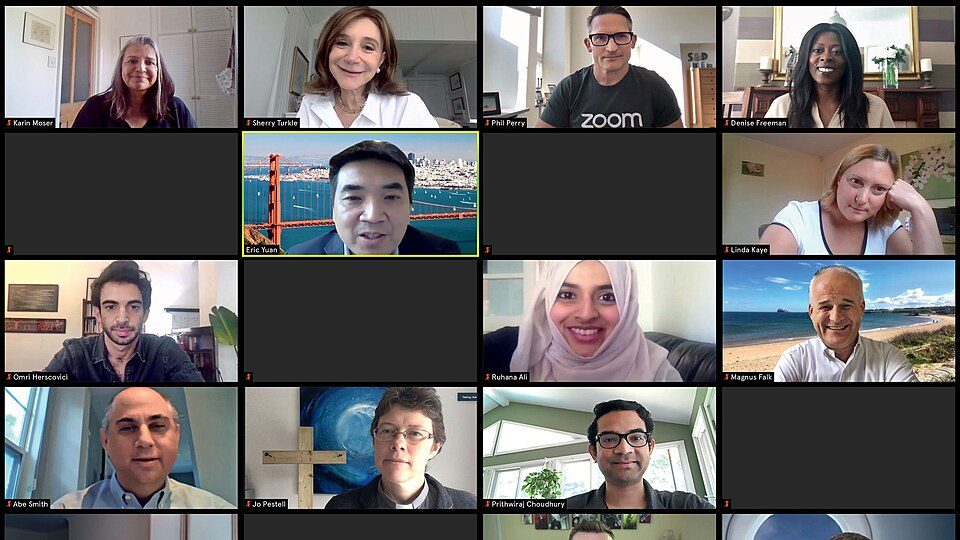
- Camera at eye level: put the laptop on a box or a pile of books.
- Light in front of you (a window or lamp behind the screen), not behind you.
- Frame yourself from the chest up, with a little space above your head.
- Look at the camera for your key points and when you’re asking a question. Look at faces when you’re listening.
Energy: turn it up a notch
Video flattens you. A small screen, a compressed voice and no body language below the shoulders all take energy out. Speak a bit louder, with more pitch variety and more facial expression than you would in the room. Use your hands within the frame. It will feel overdone. It won’t look it.
Video calls are tiring partly because of close-up eye contact, staring at your own face and having to work harder to read and send signals (Bailenson, 2021). Early evidence (a theory paper, now being tested). Hiding your self-view helps, and so does keeping the camera off when it isn’t needed.
The phone
No video, so your voice does all the work.
- Stand up and move a little. You’ll sound more alert.
- Smile when you greet people. It changes the sound of your voice.
- Say who you are and why you’re calling in your first sentence.
- Summarise at the end: “So I’ll send the form today, and you’ll call back Friday.”
Taking turns online
On calls, people talk over each other, then both stop, then both start again. Make it easy:
- Hand over by name: “Over to you, Mei.”
- Finish clearly: “That’s all from me.”
- Use the raise-hand button or chat in bigger meetings.
- If you’re running the meeting, keep a list of who’s waiting to speak.
Hybrid meetings
When some people are in the room and some are remote, the remote people tend to fade out. If you’re facilitating (Lesson 9):
- Ask the remote people first, by name.
- Have someone in the room watch the chat and hands.
- Repeat questions from the room before answering, so remote people hear them.
- If the room has one shared microphone, people should speak towards it, one at a time.
Exercise 12
On your next video call, check three things beforehand: headset in, camera at eye level, light in front of you. Ask one person afterwards: “How did I sound?” On your next phone call, try standing up and summarising at the end.
Sources
- Newman and Schwarz (2018), Good sound, good research: how audio quality influences perceptions of the research and researcher, Science Communication
- Bailenson (2021), Nonverbal overload: a theoretical argument for the causes of Zoom fatigue, Technology, Mind, and Behavior